I had worked for a year to improve Costco Photo Centre's accessibility between 2021 and 2022. During this time, I was part of a whole team mostly dedicated to the accessibility project. Since it was a high priority project, and because myself and the front-end devs were mostly exclusively working on accessibility, we would have regular meetings only talking about future accessibility projects, current accessibility projects, and talk about what kinds of changes were possible and what didn't work.
Suffice it to say, since we as a team hyperfocused on the project, and had the time to discuss everything in detail, the documentation process went largely unchanged. Here is one project documentation as an example:


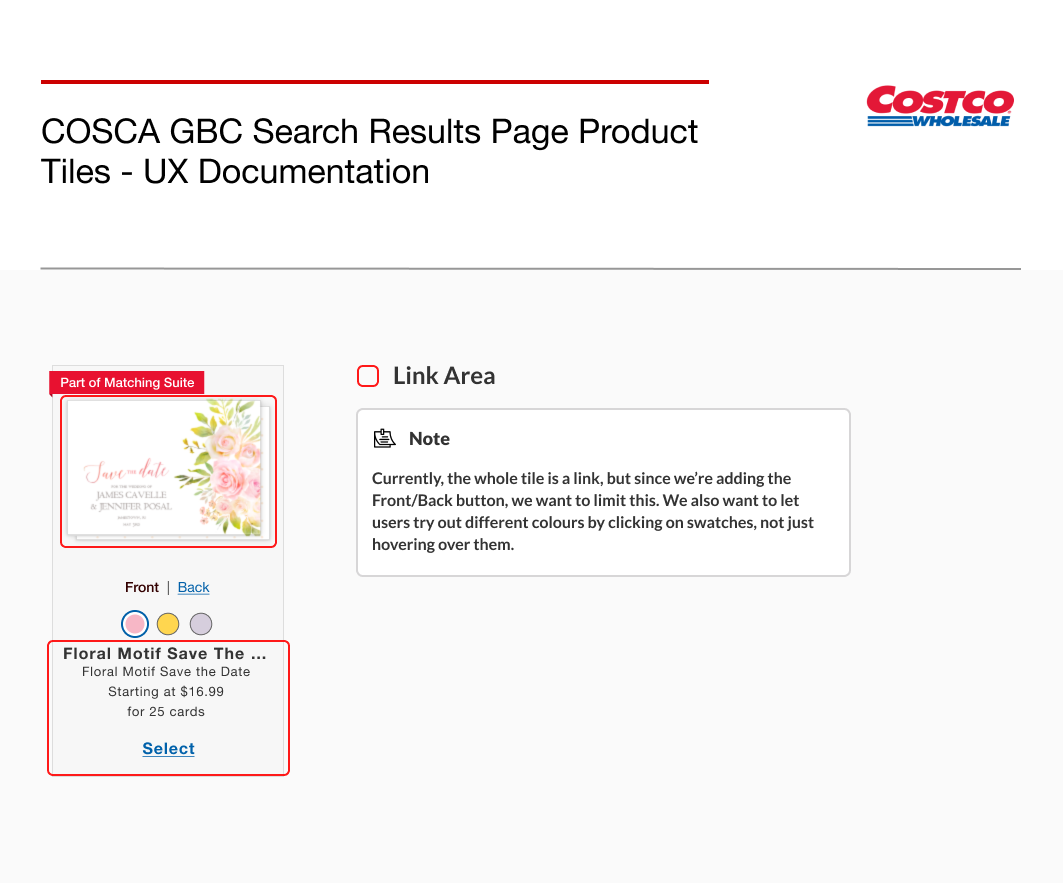
The documentation would vary, of course, from project to project depending on what was needed, and sometimes the tab order would be documented separately.
It was loose and kinda messy, and it was missing some semantic documentation, but at the time, we didn't need anything more complex than this.
After my time on the Costco team, I was assigned to a team of UX designers and PO's, myself and my team found ourselves having more difficulty documenting and communicating accessibility requirements.
For one, we worked with different dev teams for different projects, whose expertise with WAI-ARIA and accessibility would vary dev to dev. Most importantly though, was the fact that technically accessibility was not a business requirement from up top, but something that my team and some others within the company were pushing for. So it was understandably deprioritized. Devs couldn't afford to spend as much time on accessibility improvements, and neither them or us had the same amount of time to dedicate themselves to it that my old team did.
The previous documentation process that we'd been using before I joined Staples / PNI Media was not working- devs needed a lot more clarifications and we also had to come up with WAI-ARIA sources and examples of what we were looking for.
This became a conundrum for us- we're not devs, and most of us have passing knowledge of not only WAI-ARIA, but the base code itself. We know what it should look and sound like, and we want to document the intention, but how do we do that while making the documentation clearer and easier to understand for devs?
At the time our team was organizing our libraries and defining our documentation process, so I volunteered to redesign the documentation process.
Previously, we only had the one type of "note". Since we were going in with a lot of different changes, I decided on creating different notes for different purposes:

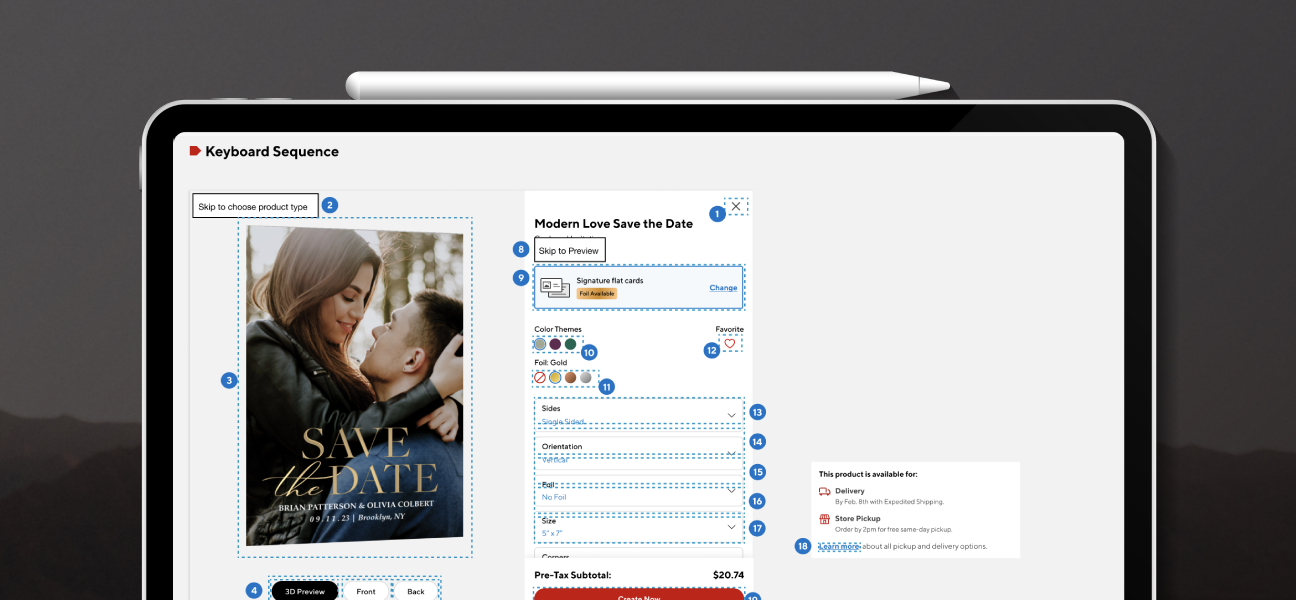
I was working on documenting the Cards and Invitations project at the time, so I used the project to do an example documentation.

This page would layout the general order of the elements on the page, as well as the announced content

Any time there needed to be more thorough documentation, particularly in a group of elements, I would put a note on the main documentation that said "Please refer to board #X" and would document those in detail, including the different interactions with different keyboard buttons.
For this project, I had 3 other boards like this.
Finally, I had an additional notes board, that would include anything left out here, including the heading documentation:

I was thinking of just naming this headings and landmarks, but for the time being, since this was new, I decided to leave it a bit more open-ended.
The new documentation framework wasn't just a process change- it required building a set of reusable Figma components, each representing a different type of accessibility annotation, that could be dropped into any project's documentation board. In that sense, this work was also a contribution to the design system: a standardised, scalable set of patterns that any designer on the team could pick up and use consistently across projects.
I was very happy to work on this documentation. I did take a lot of notes from other example documentations I found online, particularly this axe-con talk. Accessibility documentation, as I learned can greatly vary by team experience, time and priorities, so it's good to keep that in mind, as the main goal is to have a piece of document that serves as a support to the communication that is needed in accessibility projects between designers and devs.