
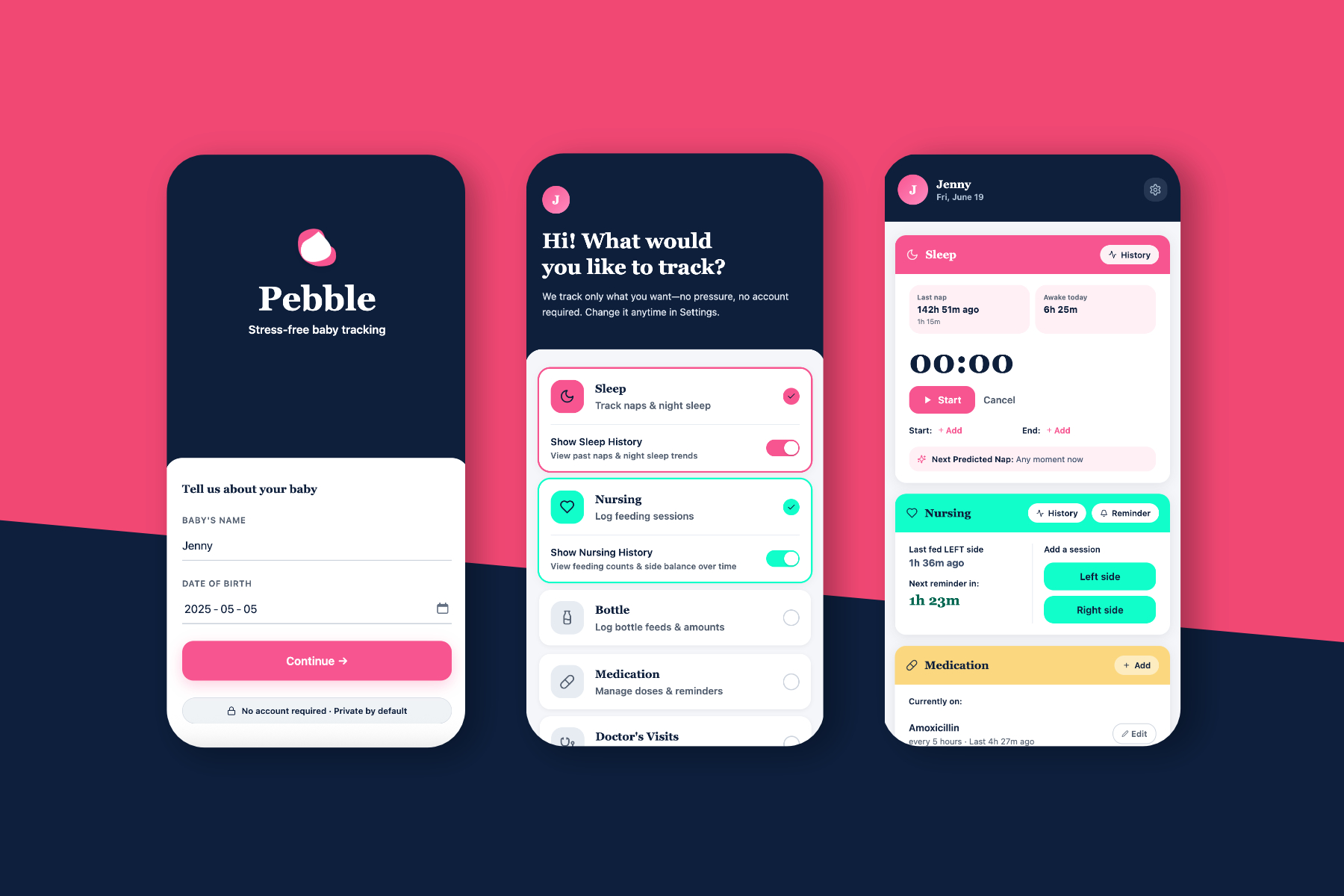
This is a self-started project for me to test how well Claude Code can create a working testable accessible prototype. For this project I designed a baby-tracking app.
I wanted to continue my exploration of AI prototyping from my first sojourn prototyping an AI experience, particularly focusing on prototyping accessibility and accessibility documentation in AI, and going deeper into AI prototyping with Claude Code, and starting with a low fidelity mockup.
I decided to create a simple baby-tracking app. I have been using Huckleberry for over a year now, and as a frequent user and someone who spent many a night reading new-mom forums about Huckleberry and baby tracking, this is something I can immediately mockup with little context.
* Create a react prototype of an app primarily with agentic tools based off of simple low-fidelity wireframes.
* Make it accessible, particularly focusing on screenreader accessibility and WAI-ARIA.
The focus of this project is the prototype, the use of agentic tools and the accessibility documentation via the agentic tools, so I will do a minimal amount of research. First, I wrote down a list of my favourite features and features I wanted. I wanted to mostly focus on making it a stress-free baby-tracking app. With Huckleberry and Nara Baby, users (myself included) first start off tracking everything, then get stressed about having to track everything, then either stop entirely or just track sleep. I think (and this is just going to be an assumption with no follow-up for this self-started project) that for Type A and Type C parents such as myself the same compulsion to strike to-do lists items and dot our i's compels us to keep tracking- because the tracking widgets are there, along with graphs and data about what we track, so we must keep tracking.
To double-check what I learned in the past year, and since we're focusing on AI enabled flow for this project, I asked ChatGPT to parse through Reddit and tell me what users liked tracking, how long they tracked, pain points.

ChatGPT's summaries matched up with my learnings, and since, again we're just focusing on prototyping primarily, we'll stop there.
Based on my learnings and the ChatGPT analysis, I want to create an app that:
* Enables users to choose what to track from the start.
* Enables users to hide history if they want to just focus on seeing what they tracked that day.
* Focus on sleep tracking provide next predicted nap, and allow users to start sleep timer more efficiently.
* Track which side nursed and how often/how many times a day, but don't time it. This is something I'm just adding in for myself, as tracking/timing nursing was especially cumbersome and stressful for me. I just wanted to know which side I nursed last.
* Add a notes section for miscellanous notes. I think this allows users to input things they want to keep in mind without having to consistently track any particular thing.
* Comprehensive doctor's visit section: This I am adding in for myself. I wanted a place to write down height weight, etc., without having to dig through my notes app.
I usually jump straight to high-fidelity mockups, especially if there's an established design system, but I want to focus on getting the agentic tools to do the job.
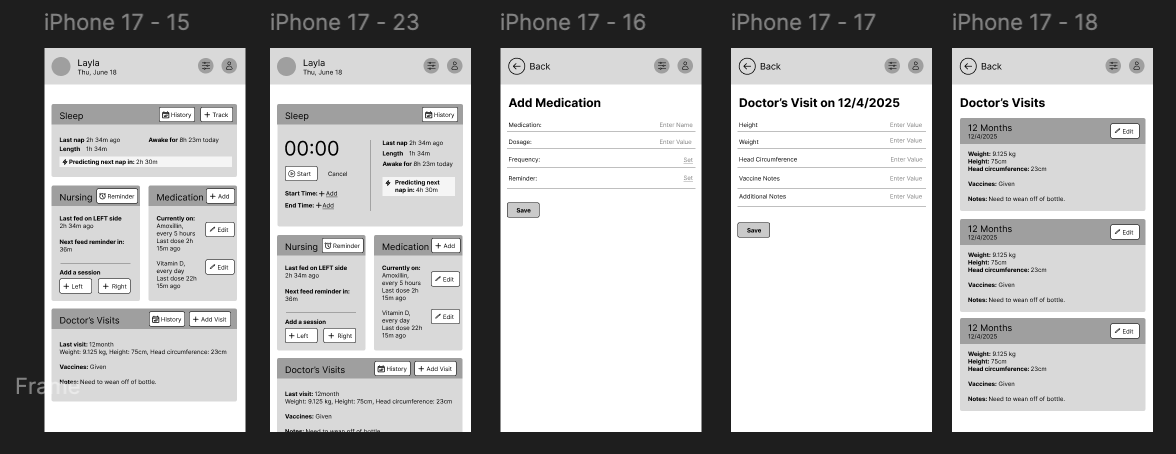
I did not start with all of the pages or interactions, wanting to get Figma Make to fill in the gaps for me and create additional pages based on description.
I asked Figma Make to create an app based on my mockups, described what I wanted, gave it a colour scheme, asked it to use Google Materials. My first iteration was a little too close to my low-fidelity mockup, so I asked it to upscale the look, asked for specific colour scheme changes, chose a font and from there, we built the app. I asked it for specific design changes or just made the edits via Figma Make, and decided to add a couple of other trackers.
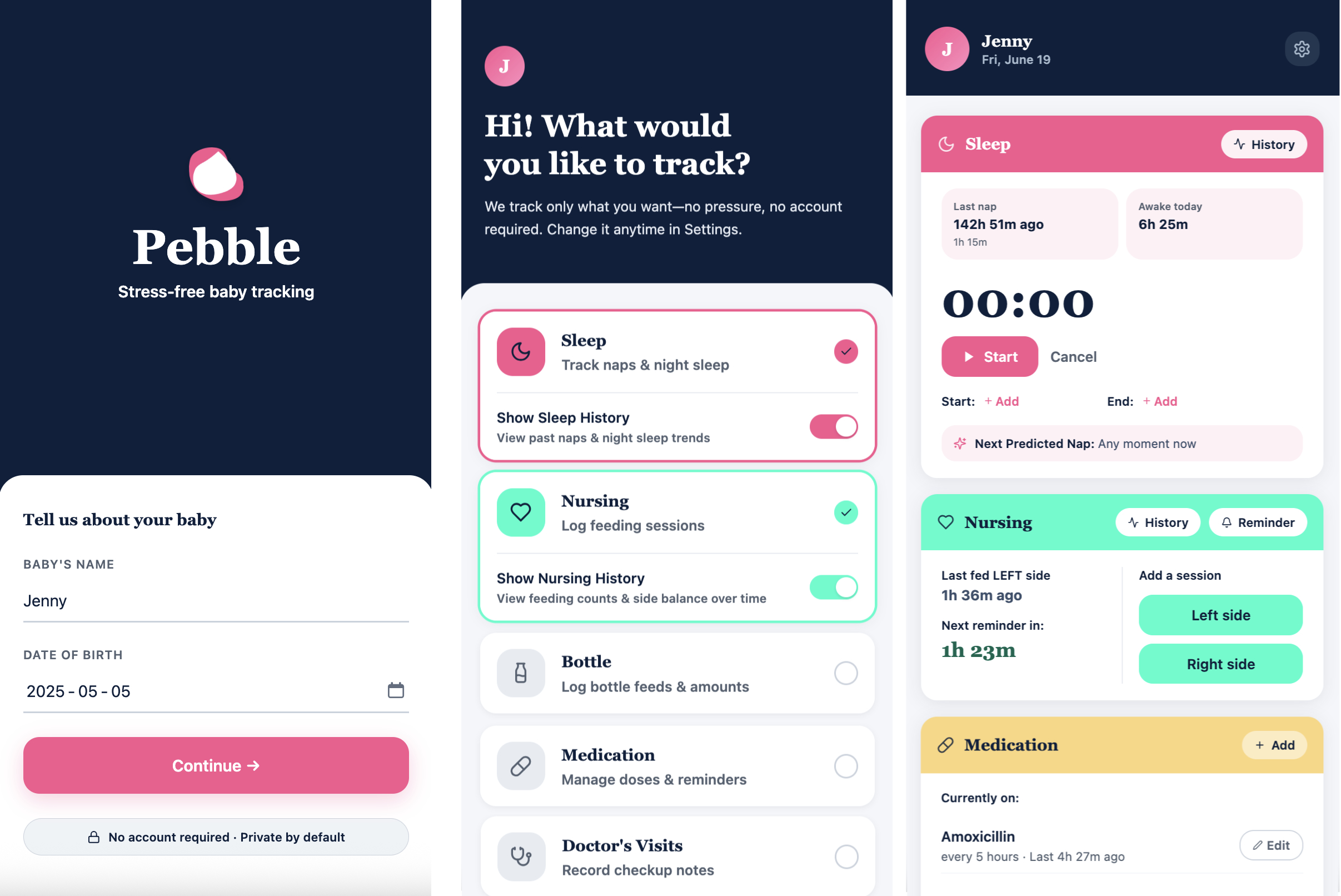
Overall, Figma Make needed more direction and I think starting from a low fidelity mockup without colour scheme specifications or a design system is a mistake, as it needed that clarity. But, I could describe the components I needed and the small adjustments I wanted and we got there in 15 versions.
Looking back, starting from a low-fidelity wireframe without a colour system or design system was a mistake I'd avoid next time. Figma Make needs strong scaffolding- it fills in gaps, but the gaps it fills are often inconsistent without clear constraints to work within. I spent more iterations correcting decisions it made autonomously than I expected. That said, once I understood how to give it the right constraints, it moved quickly. The lesson: treat it like a very fast junior designer who needs clear guardrails, not a tool that can infer your intent.
I ported the design over to Claude and asked it to make an app and an accessibility markdown documentation file for me to fill out. Wanting to know how much of the label associations and WAI-ARIA documentation it could do itself, I asked Claude Code to do what it can so I could test it and give it notes on the markdown file. Surprisingly, Claude Code did an ok job- I tested on Android Talkback and Voiceover, and found that most buttons and objects were given the correct labelling and roles. Most of the changes needed were:
* A lot of the text was fragmented. I asked for it to be read in information blocks and specifiied how/what texts were blocks to be read together.
* Some of the toggle buttons were not read with the labels associated.
* The sleep timer and the nursing buttons had no live-states and changes in state were not announced.
* It needed landmark documentation.
* Headings were not defined.
Just to test, I filled out some of the changes on the markdown documentation, and asked for some changes on the chat. Both worked.
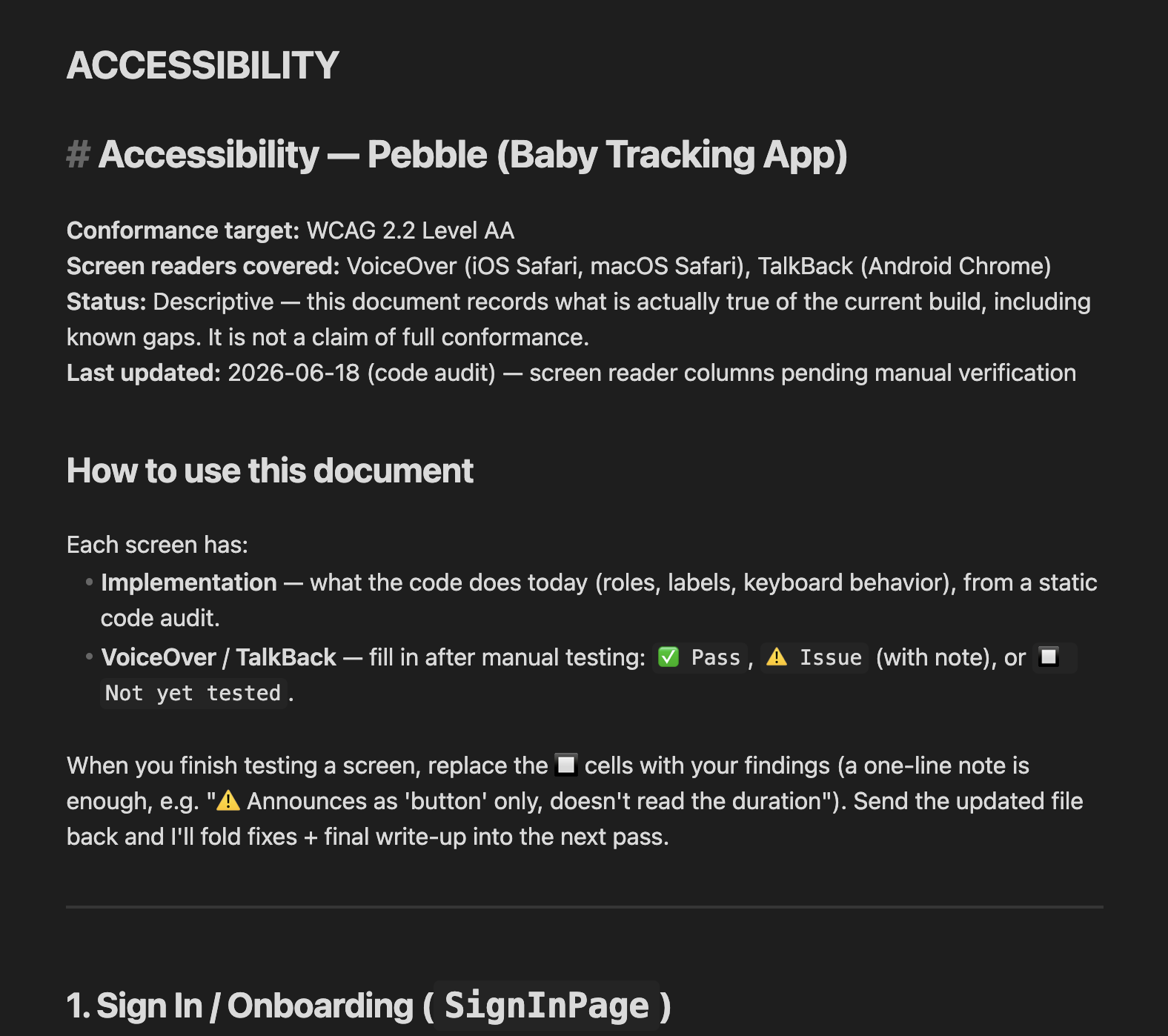
Claude Code surprised me- both in what it got right and what it missed. The WAI-ARIA labelling was more accurate than I expected for a first pass, but it had a consistent blind spot: it labelled elements correctly in isolation without accounting for how a screenreader user would experience them in sequence. Fragmented text, live state changes not being announced, no landmark structure- these were all issues of flow and context, not individual element labelling. It was a useful reminder that accessibility isn't about individual components, it's about the coherent experience of moving through a page without sight. I had to test on both TalkBack and VoiceOver to surface those gaps, and I'd recommend that as a minimum bar for anyone using AI to generate accessibility documentation.
Here is a link to the prototype.
I had fun exploring Figma Make and Claude Code and deepening my understanding of agentic tools. Accessibility documentation was particularly enlightening- and I love that AI enables for much easier user testing.